Time Travel in Snowflake – Recover the Past and More
Explore how Snowflake lets you access historical data, restore information, and ensure data integrity at every step.
What is Time Travel?
Time Travel is a powerful feature in Snowflake that allows you to query and recover data as it existed at a specific point in time. With Time Travel, you can:
- Restore deleted tables or overwritten data.
- Query data from before a critical error or change.
- Analyze historical states for audits and reports.
How does it work? Snowflake uses its data versioning system to track every change to tables, storing snapshots for the retention period. The default retention period is 1 day, but it can extend up to 90 days in Enterprise editions.
What Makes Time Travel Unique?
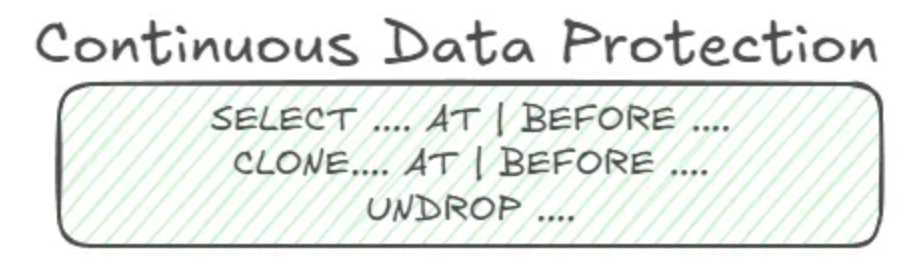
- Flexibility — Query data from an exact point in time using
TIMESTAMP(specific date and time) orOFFSET(e.g. "-1 hour").SELECT * FROM my_table AT (TIMESTAMP => '2025-01-10 12:00:00');
- Structure Independence — If you recently added a new column, it will appear in Time Travel queries but show
NULLfor historical rows since the column didn't exist at that time. - Quick Recovery — Restore accidentally deleted tables:
UNDROP TABLE my_table;
- Integration with Zero Copy Cloning — Create a complete clone of a table, schema, or database as it existed in the past:
CREATE TABLE my_table_clone CLONE my_table AT (TIMESTAMP => '2025-01-10 12:00:00');
Common Use Cases
- Recover Deleted or Modified Data — Query and recover previous state after accidental delete or modify.
- Audits and Historical Analysis — Track data changes and meet compliance requirements.
- ETL Debugging and Testing — Query past versions to validate transformation results or debug processes.
- Machine Learning Model Evaluation — Re-train or evaluate models using consistent historical datasets.
- Trend Comparison — Analyze how data evolved between two specific points in time.
Limitations to Consider
- No Direct Reversion of Structural Changes — If you alter a table's structure (e.g. add or drop columns), Time Travel does not restore the previous structure. You can use DDL history or clone the table at an earlier state instead.
- Storage Costs — Historical data contributes to storage costs depending on the retention period and volume of changes.
Fail-safe: Your Last Line of Defense
Fail-safe in Snowflake is a complementary feature to Time Travel that provides an additional layer of protection for recovering data after the Time Travel retention period has expired. It ensures that data remains recoverable for an extra 7 days, even when it's no longer accessible through Time Travel.
Unlike Time Travel, Fail-safe is managed exclusively by Snowflake's support team; users must submit a support ticket to recover their data. This feature is designed for exceptional circumstances, such as critical errors or accidental deletions, and acts as a safeguard so that data loss is virtually impossible.
Conclusion
Snowflake's Time Travel is an indispensable tool for data recovery, auditing, and historical analysis. While it doesn't directly restore structural changes, its integration with features like Zero Copy Cloning gives you the tools to maintain data integrity and visibility.
Ready to explore how Time Travel can improve your data management? Contact us at team@simov.io.