Zero Copy Cloning in Snowflake – Revolutionizing Data Management
The game-changing Snowflake feature for instant, efficient, and cost-effective data management.
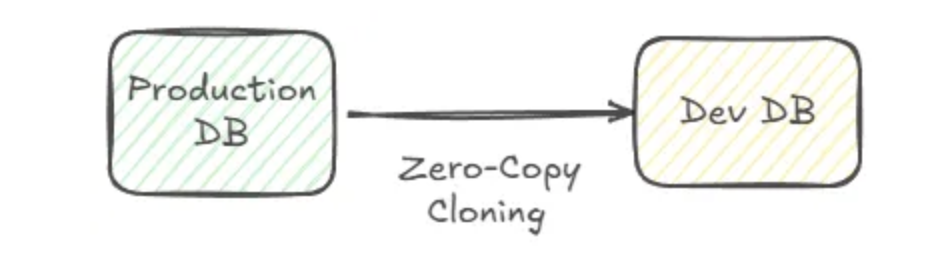
The Zero Copy Cloning feature in Snowflake allows you to clone tables, schemas, or entire databases almost instantly, without physically duplicating data or consuming additional storage, except for any modifications made.
This groundbreaking feature, available since May 2022, has transformed how organizations handle and analyze large datasets.
What is Zero Copy Cloning?
It's a feature that lets you:
- Create exact copies of existing data in seconds.
- Save on storage costs.
- Protect the integrity of original data while working with completely independent clones.
How does it work? Snowflake achieves this through:
- Shared micro-partitions — Clones reference the same micro-partitions as the original data.
- Data versioning — Snowflake tracks all changes, ensuring clones are consistent at the time of creation.
- Copy-on-write — Modifications to either the clone or the original create new micro-partitions without affecting shared data.
Key Benefits
- Efficiency — Creating clones is fast and doesn't require physical duplication. Saves time and storage by only recording differences between the original and the clone.
- Flexibility — Work with real data without the risk of modifying the original. Clone at the table, schema, or database level.
- Security and Consistency — Clones are created from a specific state thanks to Snowflake's versioning. Additional layer of protection against errors.
- Scalability — Ideal for large datasets and environments with multiple teams working simultaneously.
- Cost Savings — Significantly reduces storage usage by avoiding unnecessary duplication.
Top Use Cases
- Testing and Development — Create test or dev environments with real data without impacting production. Test new transformations or ETL scripts before applying them.
- Auditing and Compliance — Freeze data at a specific point in time for regulatory audits. Compare current and historical data states.
- Pre-change Backups — Quickly create a copy before significant updates or migrations.
- Machine Learning Training — Generate independent datasets for model training without altering production data.
- Team Collaboration — Provide different teams with independent data copies for simultaneous analysis.
- Optimizing ETL Processes — Use clones as intermediate stages in data pipelines while maintaining the integrity of the original.
- Creating User Sandboxes — Allow analysts and data scientists to experiment without operational risks.
Independence Between Original and Clone
Once you create a clone, it becomes completely independent from the original object. Changes made to the original do not affect the clone, and vice versa. At the time of cloning, both objects share the same micro-partitions, but any subsequent modifications create new micro-partitions specific to each object. Both the original and the clone evolve independently—ideal for secure, flexible workflows where different teams or processes can work with separate data copies without risk of interference.
Why is it Revolutionary?
- Since its release in May 2022, Zero Copy Cloning has become a must-have tool for data teams seeking agility and efficiency.
- Particularly useful for organizations managing large datasets, enabling collaboration and real-time analysis.
Conclusion
The Zero Copy Cloning feature not only simplifies data operations but also redefines productivity, cost efficiency, and security in data management. Whether it's for testing, audits, or advanced analytics, this feature is a game-changer for any organization using Snowflake.
Want to explore how Snowflake can transform your data management strategy? Write to us at team@simov.io.